Audit Logs
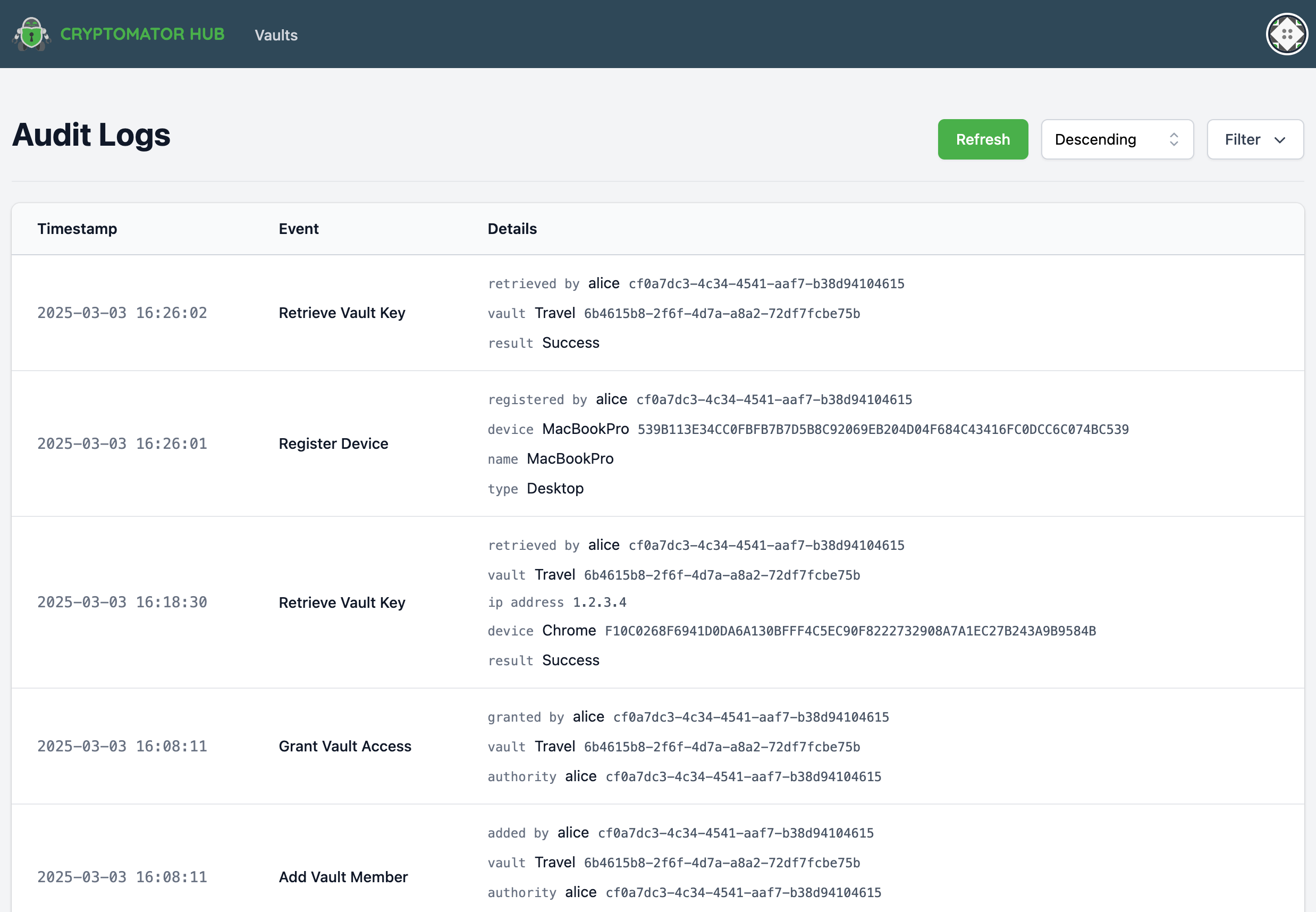
The Audit Logs provide an overview of security-related events within Cryptomator Hub. These logs allow administrators to track important account and vault-related actions.
note
Audit Logs are not available with a Community License.
Viewing the Audit Log
The logs are displayed in a structured table containing the following columns:
- Timestamp – The exact time of the event.
- Event – The type of event that occurred.
- Details – Additional information about the event.
Filtering Audit Logs
To refine the displayed logs, a filtering function is available:
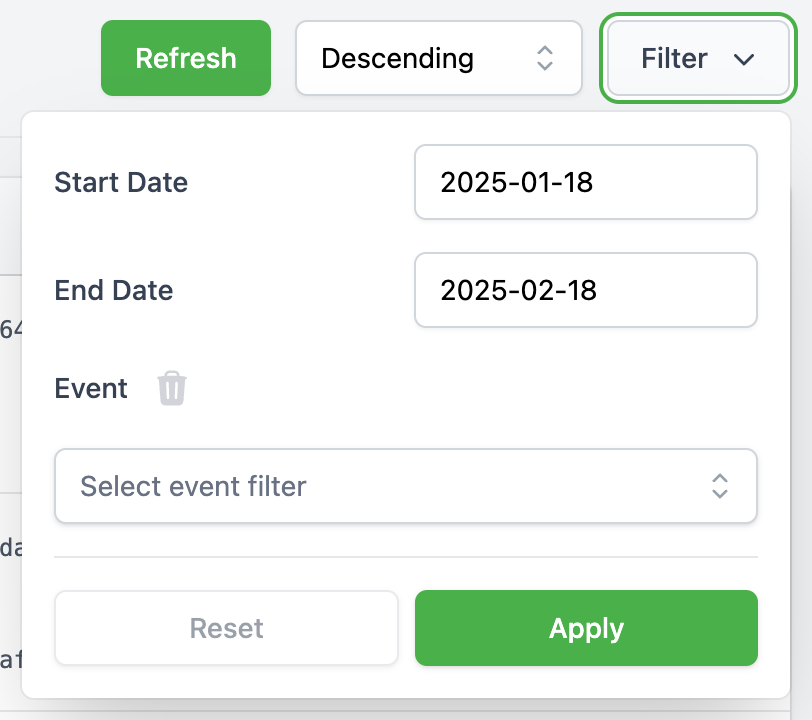
- Date Range Filter: Allows filtering logs between two specific dates.
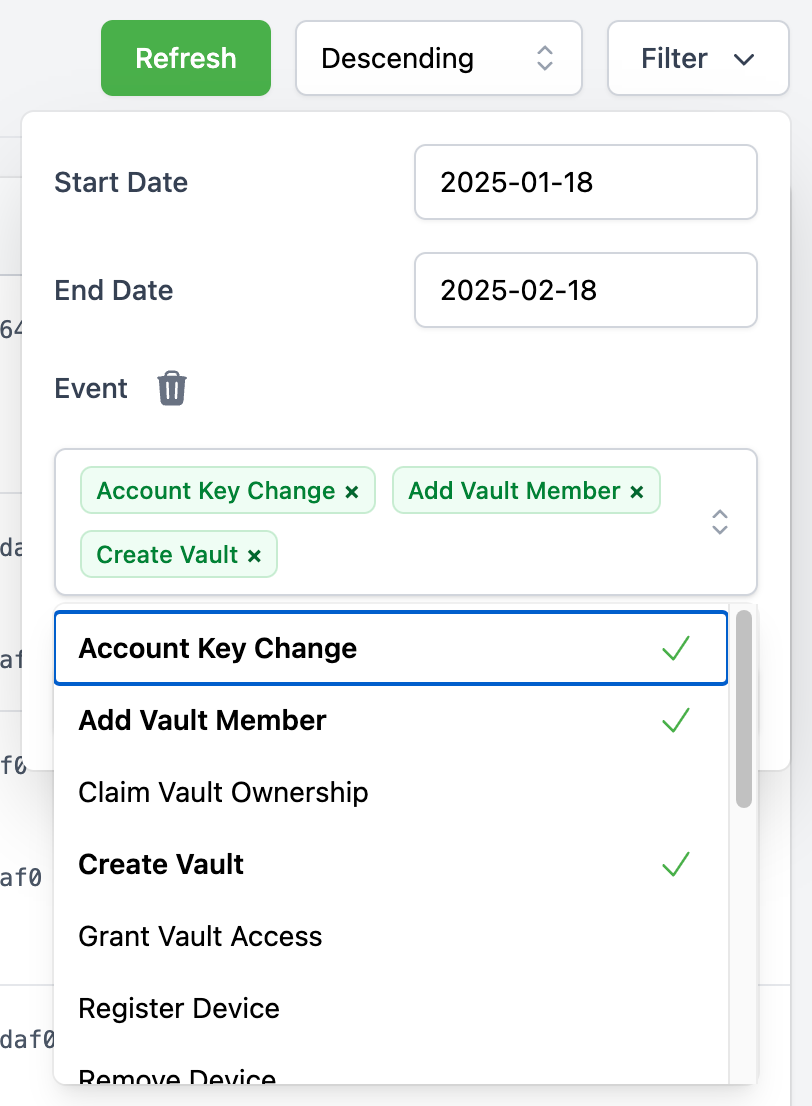
- Event Type Filter: A multi-select dropdown enables filtering by event type.
Event Types
The following events are logged:
Device
- Register Device - A user registered a new device. This can be, e.g., a Cryptomator app (desktop/mobile) to unlock a vault or a web browser to access Cryptomator Hub.
- Remove Device – A user removed a device.
Web of Trust
- Signed Identity – A user signed the identity of another user.
- Update Wot Setting – A user updated Web-of-Trust settings, e.g., the
wot_max_depth.
Vault
- Add Vault Member – A vault owner added a member to a vault. This only adds the member but does not derive the vault key for the new member.
- Create Vault – A user created a vault.
- Grant Vault Access – A user derived the vault key for the new member.
- Retrieve Vault Key – A user retrieved a vault key. This happens when a user unlocks a vault but also, e.g., when an owner manages the vault. The IP address and device information are optional for legacy reasons.
- Remove Vault Member – A vault owner removed a member from a vault.
- Update Vault Member – A vault owner changed a member's role (owner or user).
- Update Vault – A vault owner updated the vault metadata. This includes the vault name or description.
Account
- Account Key Changed – A user re-generated the account key. This also logs
User Keys Changebecause changing the account key also changes parts of the user keys. - Reset User Account – A user reset their account.
- User Keys Change – A user changed their keys. This happens, for example, when the user finished the account setup.
Emergency Access (Enterprise Only)
- Emergency Access Setup – A vault owner set up or updated the Emergency Access configuration for a vault (e.g. by assigning council members in Vault Details).
- Emergency Access Settings Updated – An admin changed the global Emergency Access settings.
- Emergency Access Recovery Started – A council member started an Emergency Access recovery process.
- Emergency Access Recovery Approved – A council member approved a running recovery process.
- Emergency Access Recovery Completed – A council member completed a recovery process.
- Emergency Access Recovery Aborted – A council member aborted a running recovery process.
note
When a council member starts a recovery process, both Emergency Access Recovery Started and Emergency Access Recovery Approved are logged.
Legacy
- Claim Vault Ownership – A user claimed vault ownership. This event is logged when a vault created with hub pre 1.3.0 is claimed by the vault creator using the
Vault Admin Password.