Files in Use
This feature is only available for Cryptomator Hub vaults.
When multiple people work in a shared vault, two users might try to edit the same file at the same time. The Files in Use feature helps prevent accidental overwrites in this situation.
When This Feature Applies
You can run into concurrent edits when a vault is shared across multiple devices or the vault is accessed over a network share. If another user is currently editing a file, Cryptomator can block opening that file for writing on your side.
The app tracks who's using each file by storing usage information in small files. Depending on your setup, it might take a short time (~10 seconds) until such an info file is synced to other devices.
What You Will See
In your sync client/on the server you will see files with a .c9u file extension.
Each .c9u-file contains the usage information for a single encrypted file.
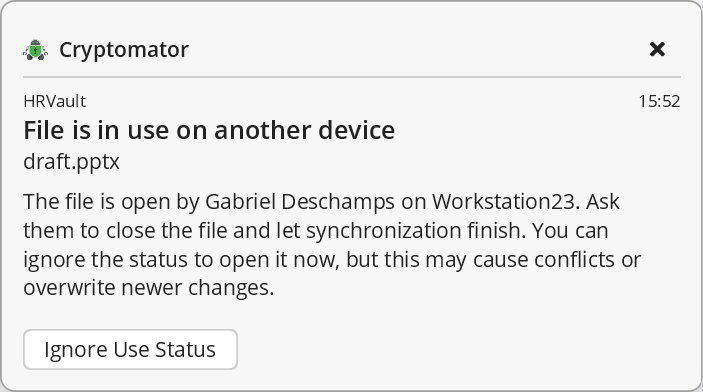
If a file is currently in use by someone else, Cryptomator shows a notification in the app. This means another device or user has an active edit session for that file.
What You Can Do
In most cases, the best action is to wait until the other person finishes editing and then try again.
You can also choose to ignore the use status and continue. Use this only if you are sure it is safe, because forcing access can overwrite someone else's newer changes.
We recommend the following sequence when receiving a "File is in use" notification:
- Ask the person shown in the notification whether they are still editing the file.
- If they already closed the file but it is still shown as "in use", use "Ignore Use Status".
- Only open a file marked as in use without checking with teammates in exceptional situations.
- In that case, create a backup copy first to avoid losing edits.
Stale Use Status
The use status is cleared after some time without file updates (around 10 min). If this happens, access is possible again. This helps in cases such as device sleep, crashes, or interrupted sessions.